HoneyBook users can embed the HoneyBook contact form into StickyFolios Buttons using the Embed Form option.
Step 1 - To find your HoneyBook contact form embed code:
Log in to your HoneyBook account.
Settings > Contact Form > click the Embed Code button
Copy the embed code.
Step 2 - Paste the code into a button
1. Select your Button
Click the Button to edit
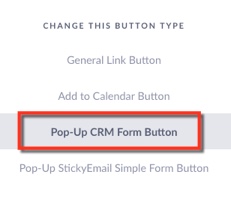
Change the button Type - to Pop-Up CRM Form Button
2. Enter Data
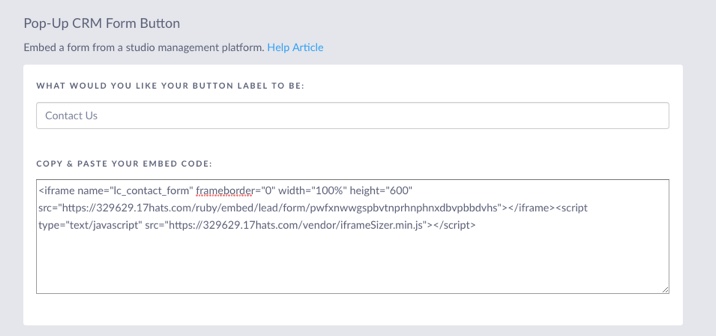
Enter the Button Label. This text will display on the Button in your Folio
Paste your embed code into the Copy and Paste Your Embed Code Box
3. Click the green Save & Close button to save the changes