

Yes, you can share a single image from your gallery. Single images can be emailed or shared to Facebook, Twitter, Pinterest.
To share a single image:
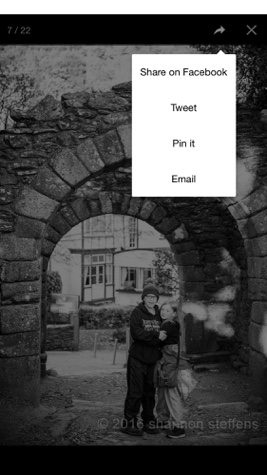
Click on the image to open up the gallery view. Click the share icon (upper right corner of the image). This will bring up the options for sharing. This shares a LINK to the image.

Note: The shared image does not link directly back to the full Album when shared to Facebook, through email,or other social media.
Image of sharing options:
Copyright Notice: The copyright at the bottom is pulled from the Footer section of the Folio. If you are seeing StickyFolios default data, then you have not updated the footer section. (When you do not see your information for the copyright)
How a Shared Image Looks:

Facebook Note - when sharing a single image, it is shared as a link. It is not saved to the viewer's Facebook Photo Albums. Single images do not link back to the full StickyAlbum or StickyFolio.