Buttons can Link to any online resource, such as an online gallery, website, or video hosted with another service.
Note: We recommend setting your link to open a new window. This allows users to get back to your Folio a bit easier.
Pro-Tip: Buttons can not be tested in the preview/build mode. To test a button publish your Folio and open the Folio URL in a new Tab.
To create Website Address Button:
1. Click the Button in the builder you wish to edit
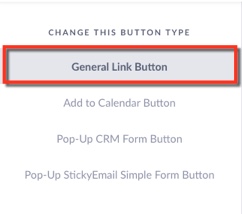
Under Change this Button type Select: General Link Button
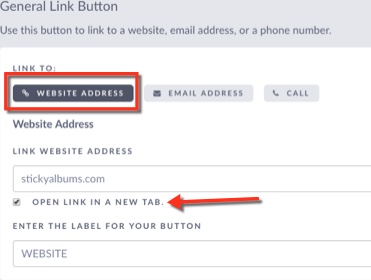
2. Set the Link To Option to: Websites Address
Add the link to the website
Select Open URL in new Window
Add a label for the button
3. Save changes - Click Save & Close Button