

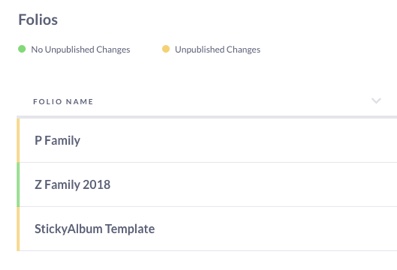
While in the Folios view in the builder, you will see green and yellow bars next to your StickyFolios names. This bar indicates the published status of each StickyFolio in the account.
Green - Shows your Folio has been Published and there are no Unpublished changes.
Yellow - Indicates that your Folio is either Unpublished or has unpublished changes.
How can I tell if my Folio was publised previously if the bar is yellow?
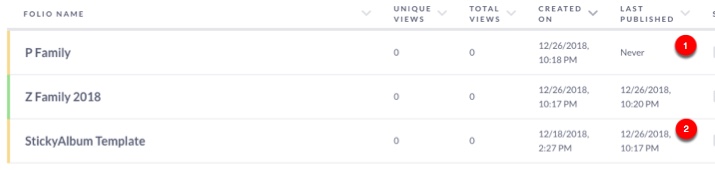
Never Published (1) - The Last Published column shows Never, then the Folio has not yet been published.
Unpublished changes (2)- If the Last Published column shows a date, then the Folio has been published, but there are updates/changes to the Folio since that date.