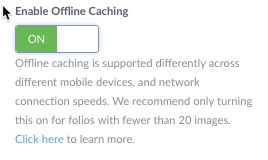
Offline Caching is a feature that saves StickyFolios data to a mobile device and allows users to view their StickyFolio without being connected to the internet. This feature is currently only available in the StickyAlbums 3.0 /Client Folio template.
To save the Folio for offline viewing, the Folio must have Offline Caching enabled and be added to the home screen of the mobile device.
The user needs to open the StickyFolio from their device homescreen one time while connected to the internet to allow the app to cache.
The default setting for the Offline Caching feature on all StickyAlbums 3.0/Client Folios is Off.
To turn On Offline Caching, go to the Homescreen Details Section of the Settings Panel of the Folio on which you'd like to enable Offline Caching.
Click the toggle so that it's on (green).