

To create a subdomain, please do the following:
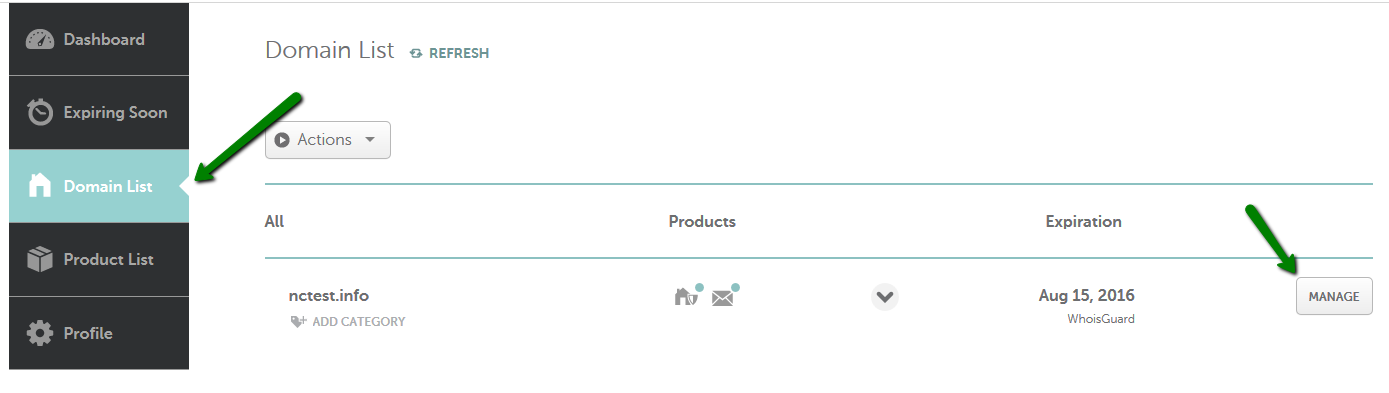
1. Go to your Domain List and click Manage next to the domain:
2. Select the Advanced DNS tab:

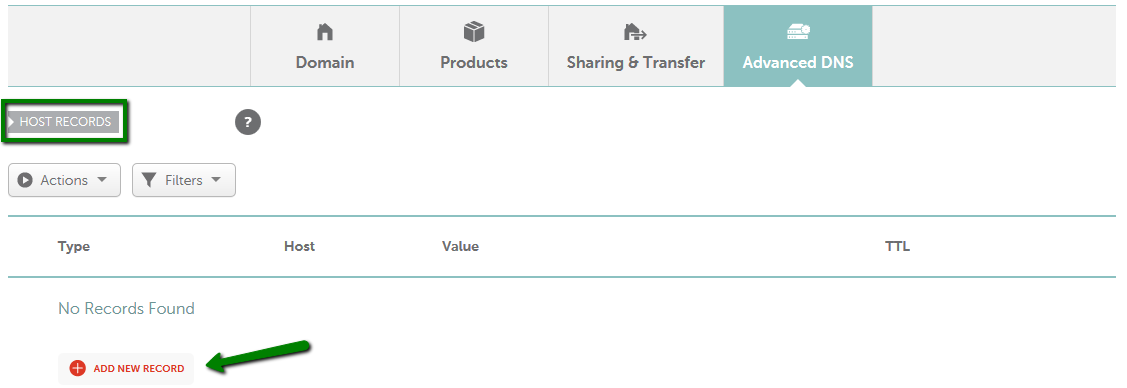
3. Find the Host Records section and click on the Add New Record button (not able to edit Host Records?):
4. Select A Record for Type and enter the Host add the subdomain word you want to use, ie app or apps, and under value enter the IP address: 52.41.106.131
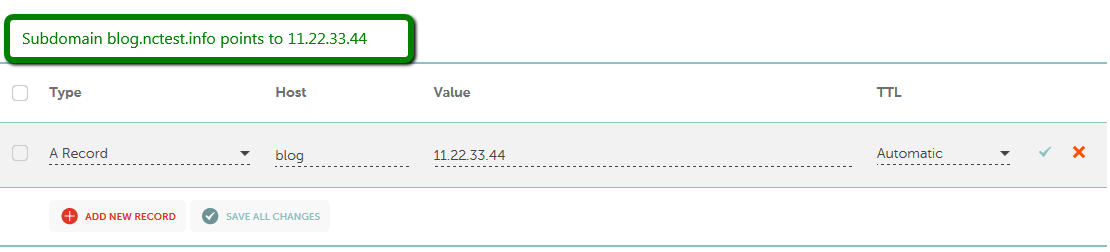
Check the Save All Changes button once done:
