

You can create text links with the StickyFolios text editor if the text box supports it. Most large text blocks support the StickyFolios text editor. The text editor is not supported in section titles and subtitles.
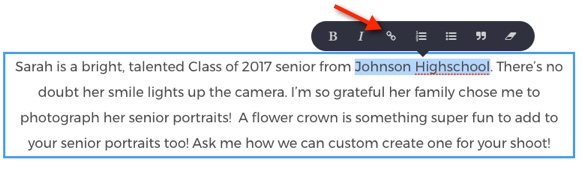
In sections that support the text editor, an Editor Box appears when you highlight the text you wish to use to link out to another website.
To Create a Text Link:
1. Highlight the text you would like to use as a link.
2. Select the Link icon in the Editor Box.
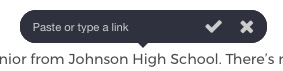
3. Type or paste the link you would like to use in the Link Box.
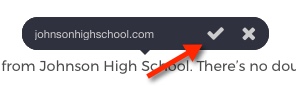
4. Click the check mark to save the link.
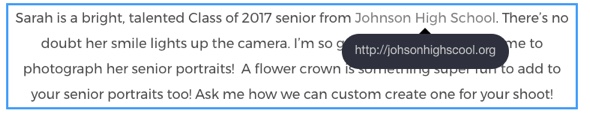
Linked text will be underlined and will open the link when clicked.
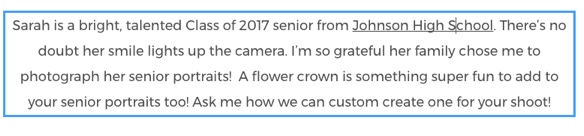
To check your link, hover over the linked text. Edit as needed.
VIDEO
