The Show/Hide Elements Section allows you to Hide Items that you may not wish to use on your StickyFoilo site.
This is found in the Settings Panel, which is to the left of of the Template Preview. Click the section marked Show/Hide Elements to open.
This quick video goes through how to show/hide elements you do not wish to have in your StickyAlbums or StickyFolios
Visual Walk through of Hiding Elements
What can you hide?
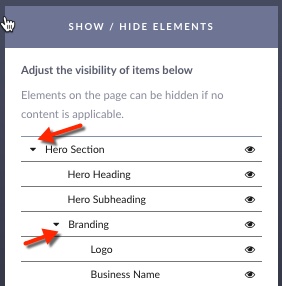
You can hide entire sections or indivlidaul elements. To hide elements within a section, but not the entire section, click the arrow next to the section title.
To Hide Items:
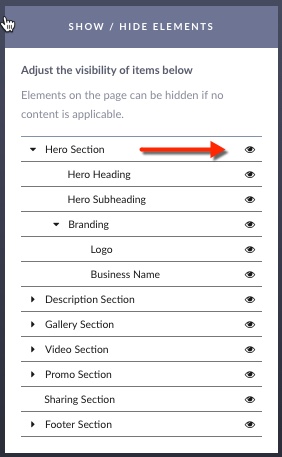
Click the eye icon next to it. You can Hide the entire Section or Hide individual Items within a Section by clicking the eye icon.
How do I know what is hidden?
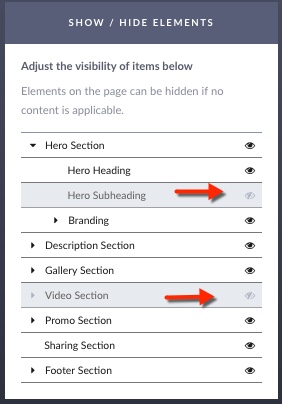
When an element has been hidden, there is eye with a slash. The eye with the slash indicates that the Item is Hidden. Hidden items are not visible on the Preview Template or in a published Folio.