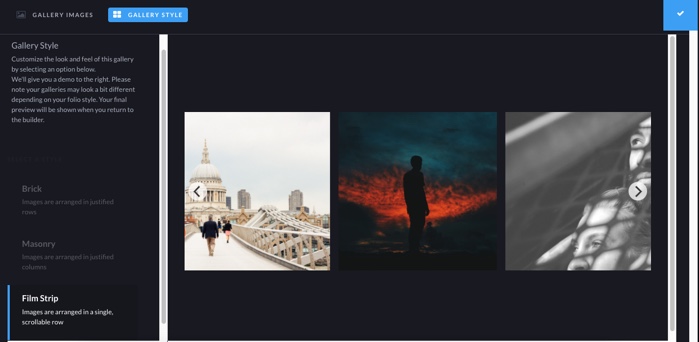
Gallery Style is an option that allows you to select how the gallery thumbnails look in a gallery for a StickyAlbum. If your StickyAlbum was created before the update (anything created before 10-4-17) you will not see the new style gallery.
Note - on older style templates brick and masonary will stack the images on top of each other on mobile.
To select the style click on the Style tab at the top of the gallery upload box to bring up the style selections.

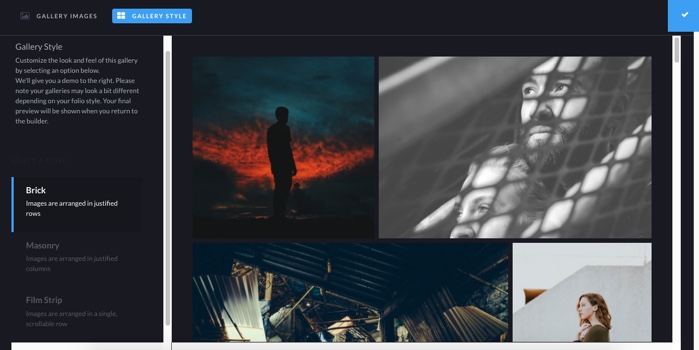
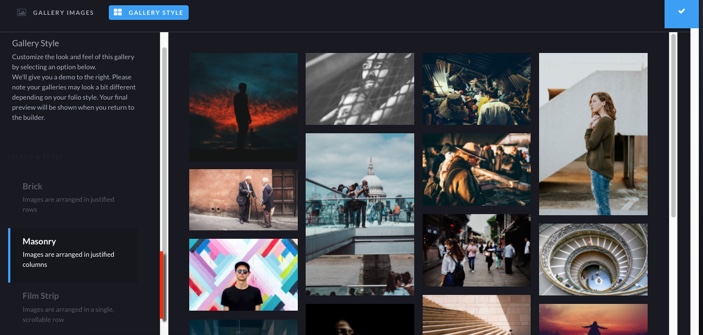
Types of Gallery Styles: the preview in the style selector will always show our default images and not the images you have loaded into the gallery.
Brick: Thumbnails are arranged in justified rows.
Masonary: Thumbnails are arranged in justified columns.
Film Strip: Thumbnnails display as a horizontal film strip. Individual images can be clicked to bring up a gallery view.