

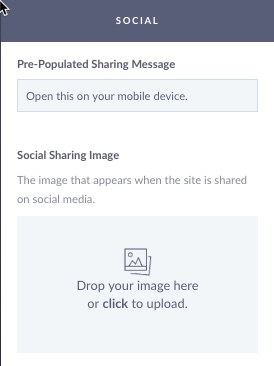
The Social Section of the StickyFolios builder is used to select an image that is featured when your Folio is shared via social media. The Sharing Message accompanies the Sharing Image on social media and is used when the link is shared via email.

1. Social Sharing Image
Add an image to be featured when the Folio is shared to social media channels and via email. The recommended image size is between 1000 and 3000 pixels wide by 72 ppi.
2. Pre-Populated Social Sharing Message
The default message is: Open this on your mobile device.
You can tailor this message to suit your client or specific business needs.
Example Sharing Subjects:
Check out out XX Photography's Website
Portfolio for XXX Photography
XX Photography - Newborn
XX Photography - Weddings