17hats users can embed the 17hats contact form into StickyFolios Lead Capture Buttons.
If you would like set up a 17hats account you can do it here: Create a 17hats Account.
VIDEO ON ADDING 17 HATS CODE
Step 1 - Find your Code in 17 Hats
Log in to your 17hats account, then:
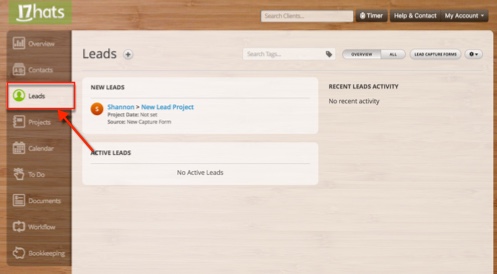
Click Leads on the side menu.
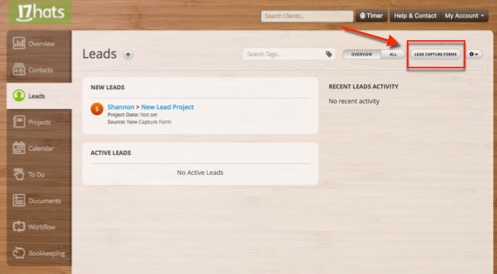
Select the Lead Capture Forms button.
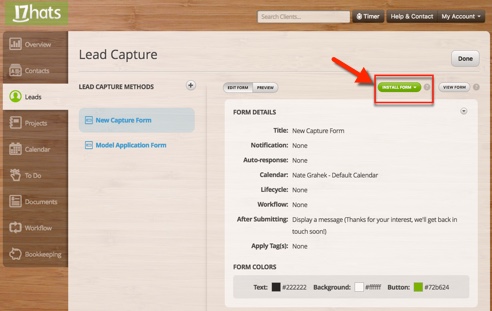
Click the Green Install Forms button.
Select the Insert Form on Website option.
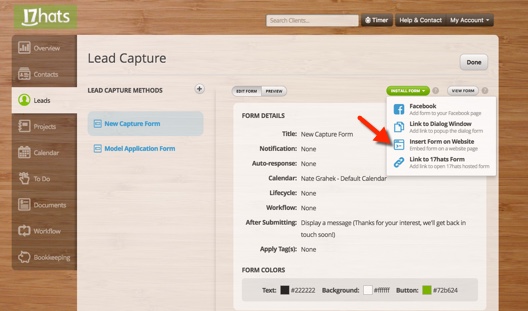
Copy the code from the pop-up box.
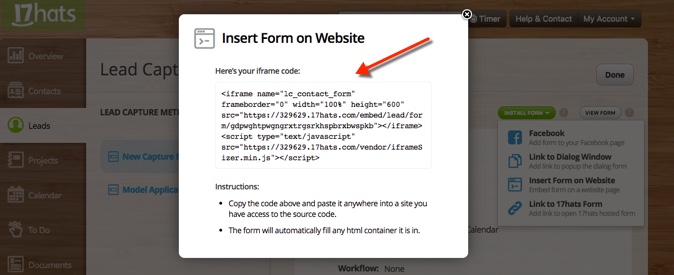
To add your 17 Hats embed code to the StickyFolios Builder:
Step 2 - Paste the code into a button
1. Select your Button
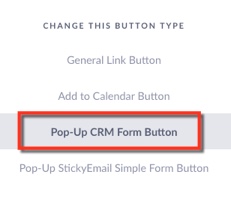
Click the Button to edit
Change the button Type - to Pop-Up CRM Form Button
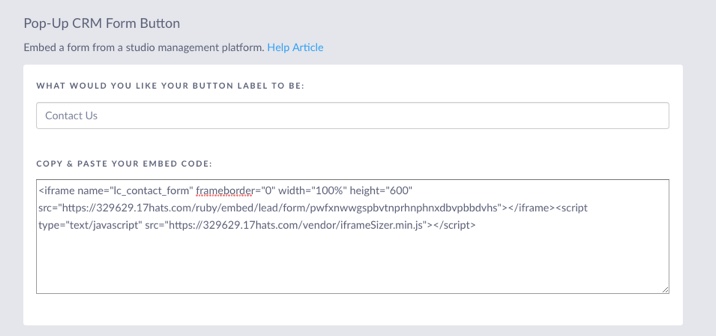
2. Enter Data
Enter the Button Label. This text will display on the Button in your Folio
Paste your embed code into the Copy and Paste Your Embed Code Box
3. Click the green Save & Close button to save the changes